BC : The Division 2
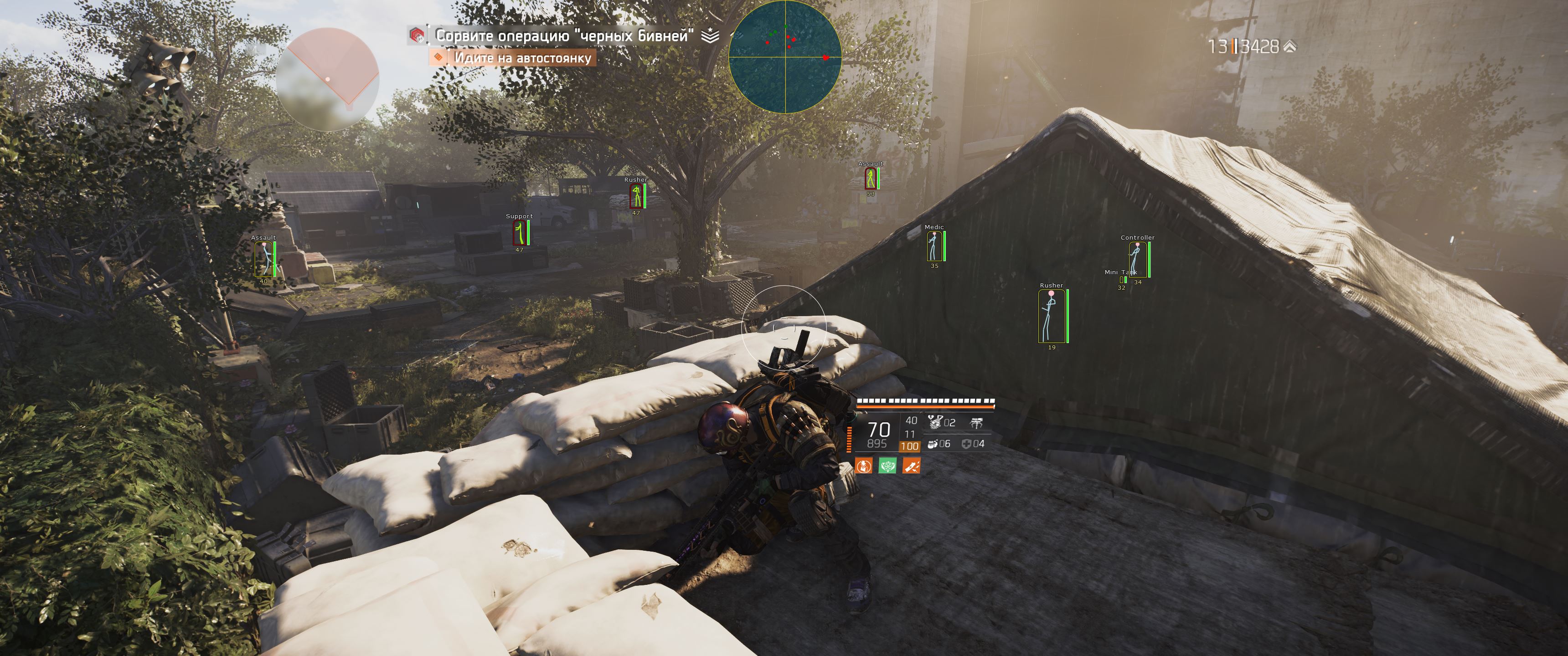
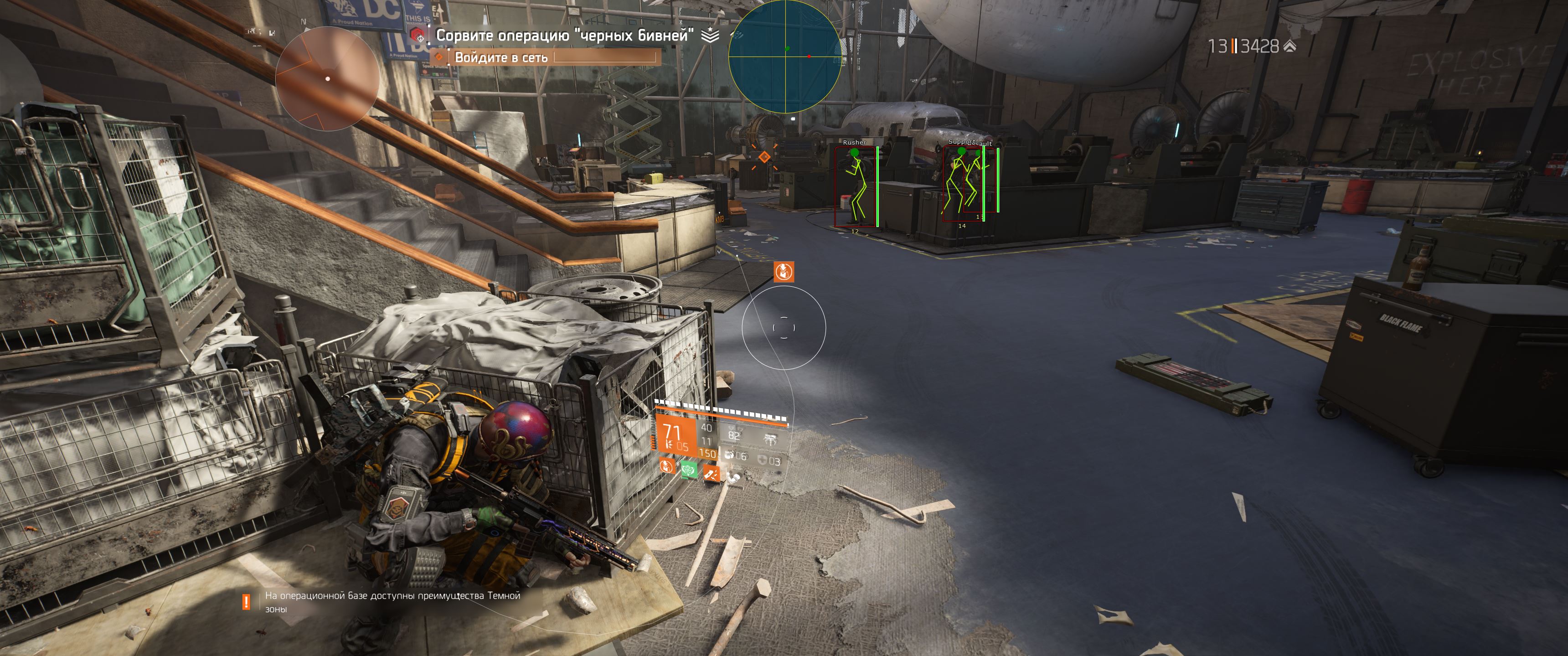
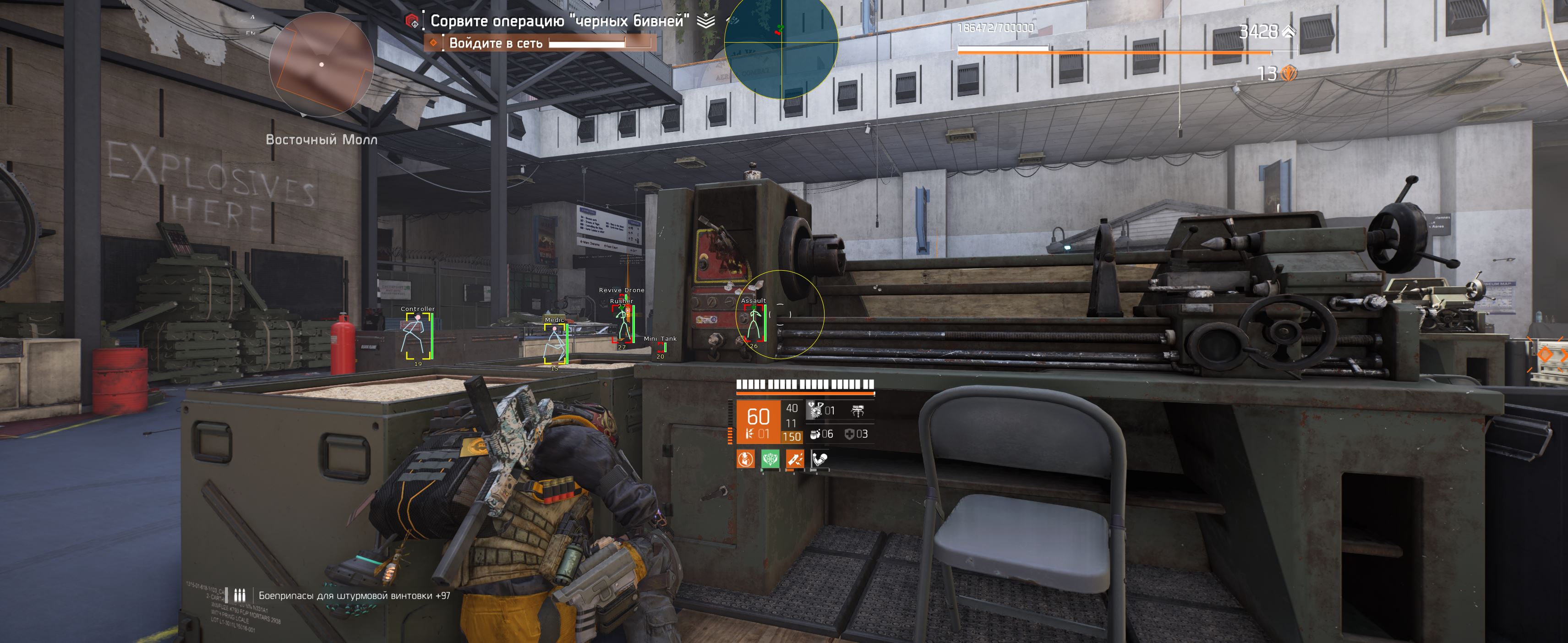
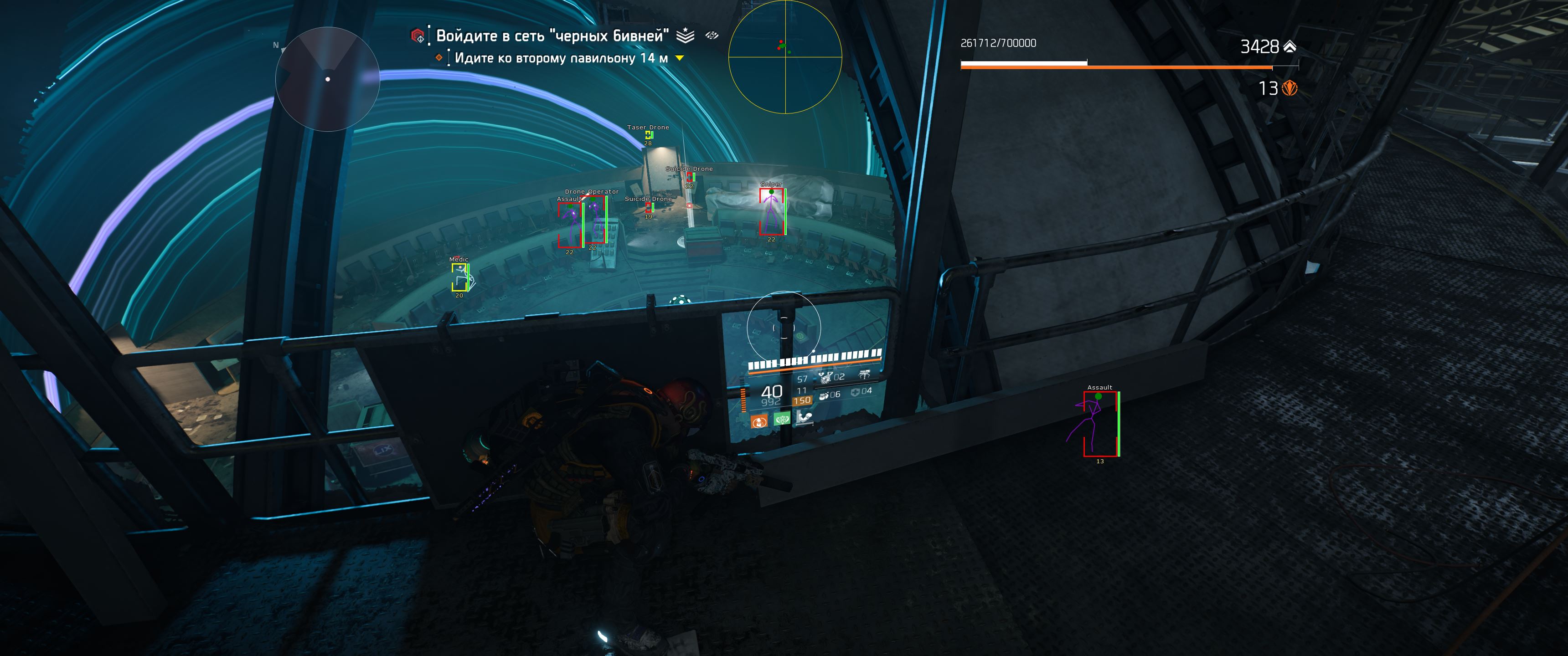
A powerful and reliable The Divison 2 product developed by BC Projects.
System Compatibility:
- Supported Processors: Intel & AMD
- Supported Graphics Cards: NVIDIA & AMD
- Supported OS: Windows Windows 10 x64 (all build) & 11 x64 (build 21H2, 22H2, 23H2, 24H2, 25H2)
- Supported BIOS Mode: UEFI
⚠️ No BIOS setup required.
Additional information:
- Supported Window Mode: Fullscreen, Borderless & Windowed
- Supported Stream Bypass: -
- Supported Game Launcher: Steam & Uplay (Directx 11)
- Included Spoofer: -
- Software type: Internal
Feature List:
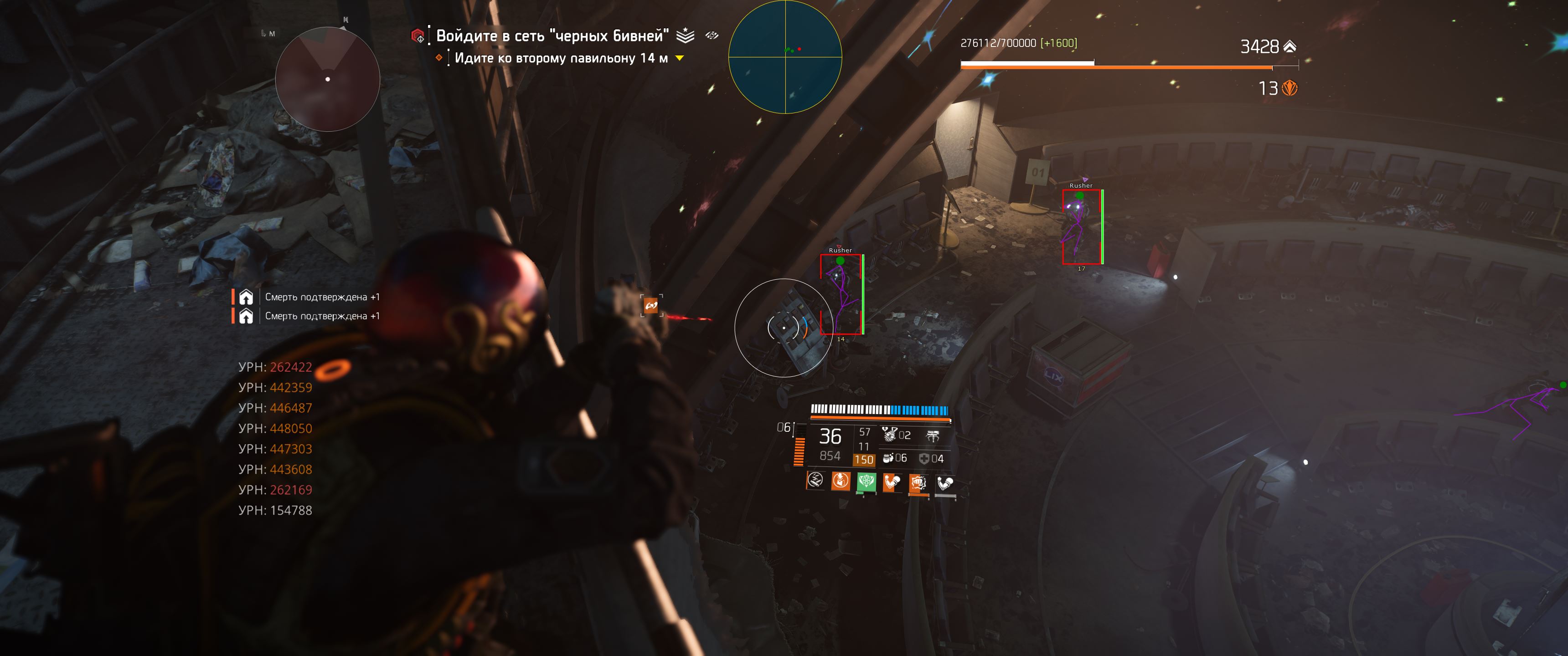
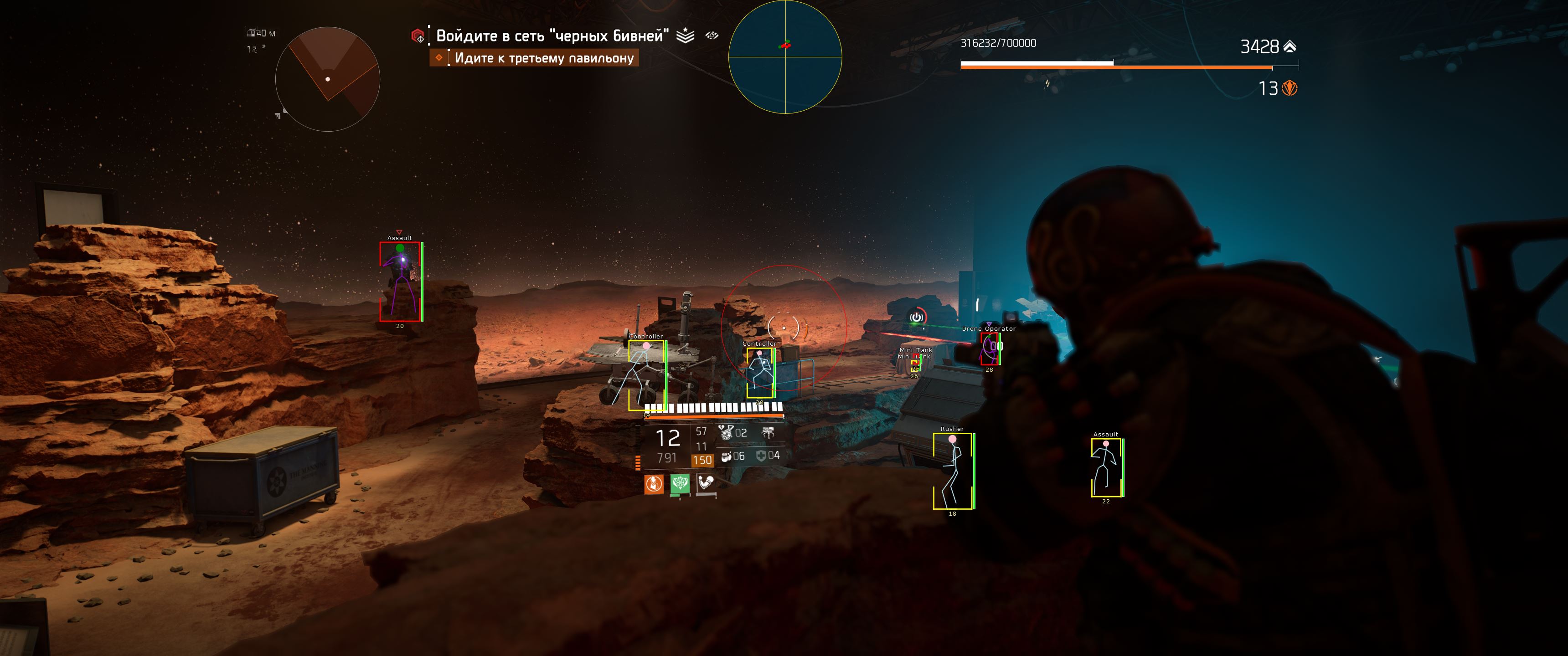
👁️ ESP
- Box - Display 2D boxes around players
- Type - Change the 2D box type
- Thickness - Adjust the 2D box line thickness
- Rounding - Adjust the 2D box corner rounding
- Style - Change the 2D box style
- Background - Enable background for 2D boxes
- Skeleton - Display player skeletons
- Skeleton Thickness - Adjust skeleton line thickness
- Head - Display a circle around the player's head
- Filled Head - Fill the head circle
- Health Bar - Display player health bars
- Distance - Display distance to players
- Player Name - Display player names
📡 Radar
- Enable - Enable radar
- Radar Type - Change the radar type
- Position X - Adjust the radar position on the X-axis
- Position Y - Adjust the radar position on the Y-axis
- Size - Adjust the radar size
- Distance - Adjust the radar range
- Point Clamp - Display out-of-range players at the radar edge
- Point Type - Change the radar point type
- Point Size - Adjust the radar point size
🎯 Aimbot
- Enable - Enable aimbot
- Only Visible - Target visible players only
- Lock Target - Keep the target locked while the aimbot key is held
- Dynamic FOV - Enable dynamic aimbot FOV
- Draw FOV - Display the aimbot FOV
- FOV - Adjust the aimbot FOV
- Type - Change the aimbot mode
- Smooth X - Adjust horizontal aiming smoothness
- Smooth Y - Adjust vertical aiming smoothness
- Priority - Select targeting priority
- Selected Bone - Select the target body part
- Key - Change the aimbot activation key (Right Mouse Button by default)
🧠 Memory
- No Recoil - Disable weapon recoil
- No Spread - Disable weapon spread
- No Reload - Disable reload
- No Sway - Disable weapon sway
- Fire Rate - Adjust weapon fire rate
⚙️ Settings
- Menu Key - Press **Insert*to open or close the menu
- Panic Key - Press **Delete (DEL)*to disable all cheat features
* The functionality of the program can be changed at any time at the discretion of the developer, but we always try to keep the information up to date
×
![Zoomed Product Image]()