


System Requirements
Supported Processors
Intel & AMD
Supported Graphics Cards
Nvidia & AMD
Supported OS
10 (all build) & 11 (build 21H2, 22H2, 23H2, 24H2, 25H2, 26H1)
Supported BIOS Mode
UEFI & Legacy
Supported Game Client
Steam
Project Type
External
Included Spoofer
Yes
Stream Bypass
Yes
⚠️ No BIOS setup required.
🎯 Aimbot
Enable – turns the aimbot on or off
Key – aimbot activation key
Silent – directs bullets to the target without moving the camera
Teleport Bullet – moves the bullet to the target immediately after the shot
Aim Bone – allows you to select the bone to aim at (head, neck, chest, pelvis, or the closest one to the crosshair)
Target Priority – target priority by proximity to the crosshair or by distance
FOV – adjusts the target acquisition radius around the crosshair
Smooth – configures aiming smoothness
Max Distance – sets the target acquisition distance
Visible Only – aims only at enemies in line of sight (not behind cover)
Ignore Downed – excludes downed players from targets
Friendly Fire – aims at teammates
Sticky Target – keeps the selected target while the aimbot button is held
Prediction – accounts for target movement and bullet drop to calculate lead
Recoil Compensation – compensates for weapon recoil and camera displacement
FOV Circle – displays the target acquisition area circle
Aim Point – shows the active aiming point
Snapline – displays a line from the crosshair to the target
Highlight – highlights the selected target and displays labels (TARGET or LOCKED)
Preview – shows the potential target before activating the aimbot
🔫 Weapon
No Recoil – disables weapon recoil
No Spread – removes bullet spread
Instant Bullet – moves the bullet to a visible enemy on the line of fire
Instant ADS – instantly switches to aiming-down-sights mode
No Gun Sway – disables weapon sway
No ADS Sway – removes scope sway in ADS mode
Grenade Prediction – displays the predicted grenade throw trajectory
Grenade Bounces – shows grenade bounce points
Blast Radius – displays the grenade explosion radius
Victims – targets within the explosion radius
Auto Calibrate – automatically determines speed, fuse time, and explosion radius based on the throw
💥 Artillery
Mortar L81 – calculates aiming for the L81 mortar
Howitzer SPH-2 – calculates aiming for the SPH-2 howitzer
Tank Cannon – shows the predicted impact point of a tank cannon shell
Shot Arc – allows you to choose an automatic, flat, or high-arc projectile trajectory
Fire Cross – displays a ready-to-fire indicator (when the barrel is aimed at the target)
Info Panel – shows distance to the target, aiming angle, and miss offset
Flight Path – displays the projectile flight trajectory
Impact Point – shows the predicted impact point of the projectile
Map Pick – allows you to select an enemy or any point on the game map as the target
Ping Aim – aims the weapon at an in-game placed marker
Follow Target – tracks the selected enemy or vehicle in motion
Auto Lay – automatically turns the weapon toward the target
Incoming Shells – warns about nearby falling shells with a red circle and an "SHELLING" notification
Emplacement ESP – displays mortars, drone stations, and emplacements with durability information and a friendly-object filter
👁️ Players ESP
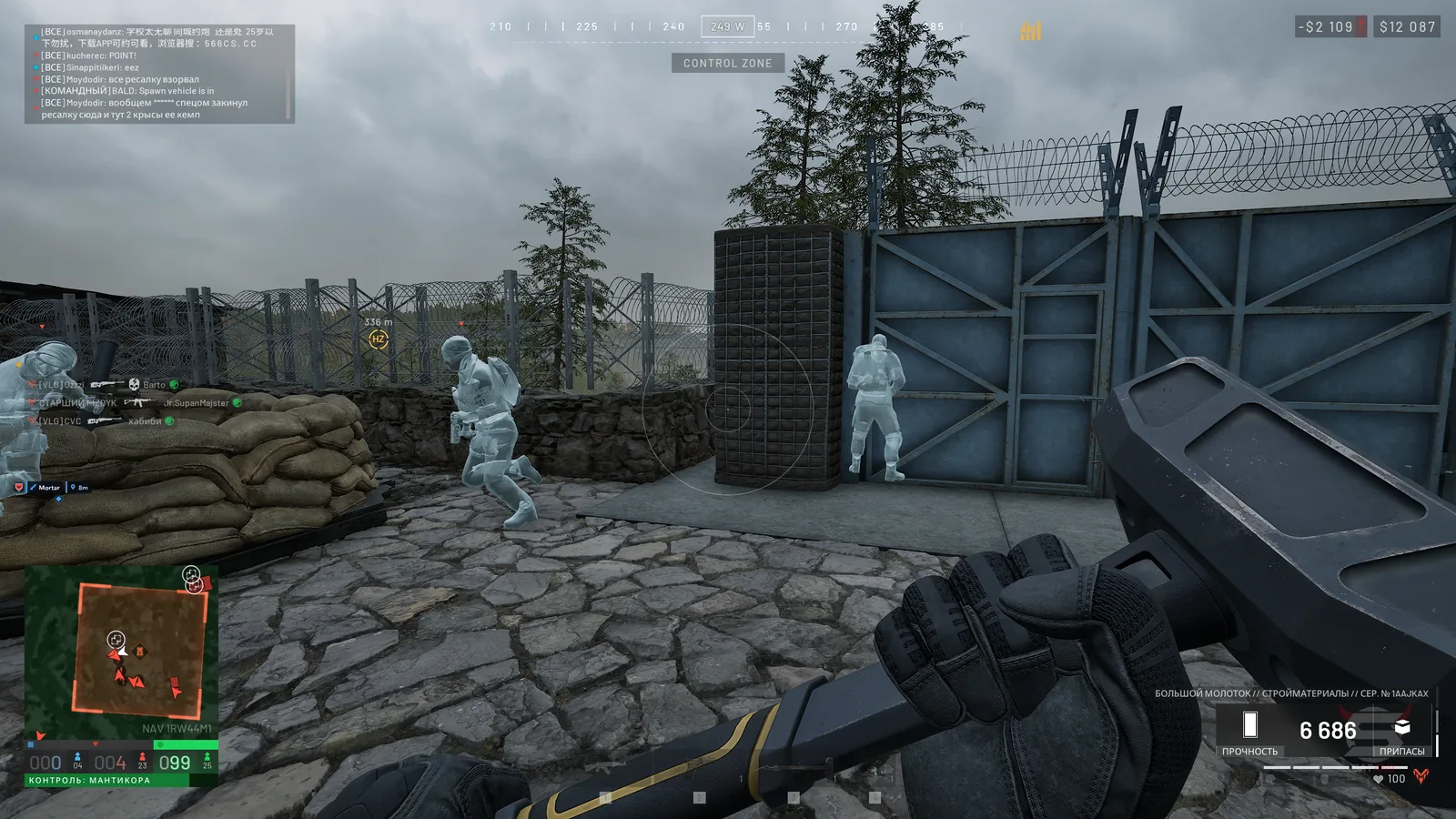
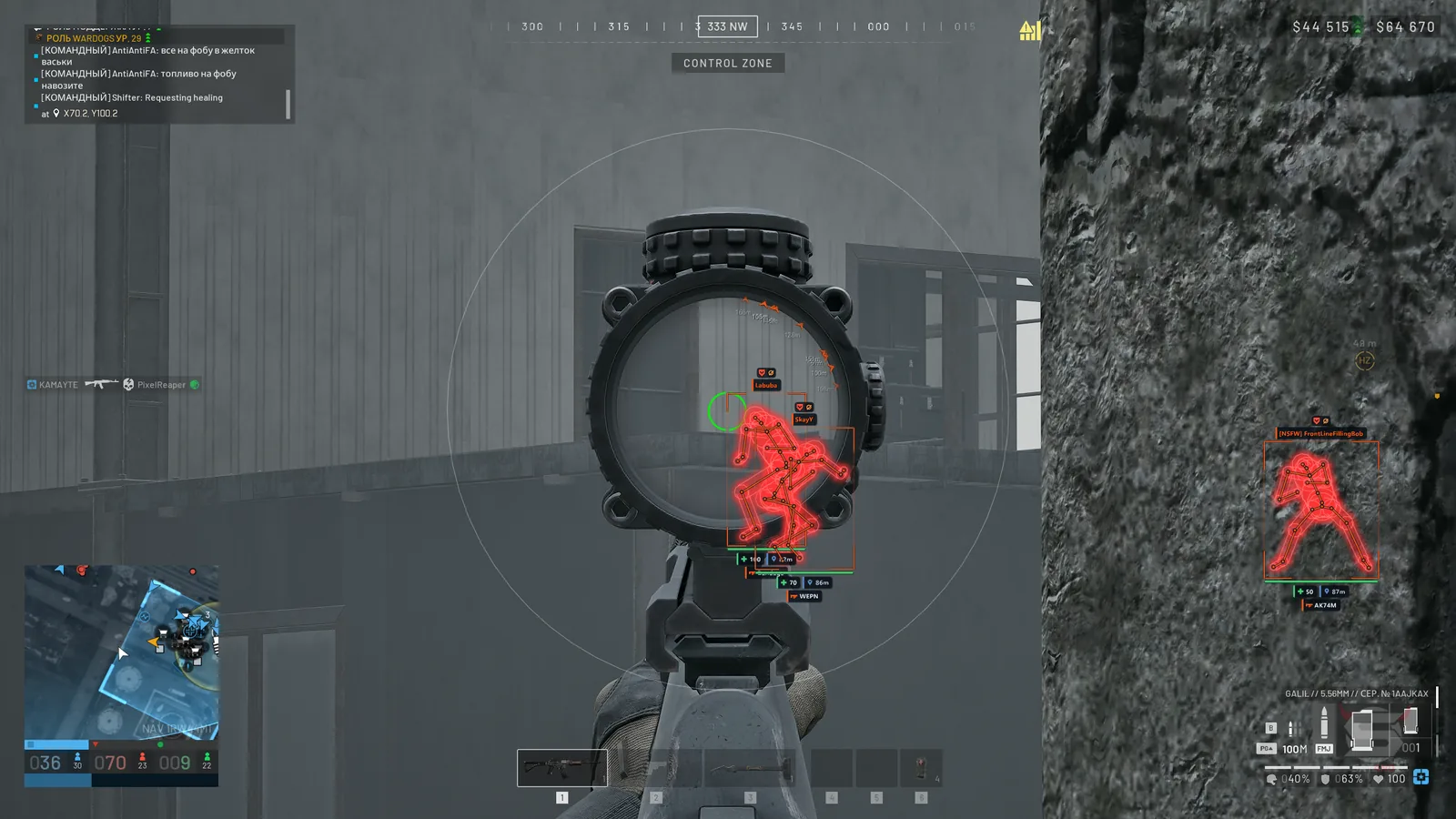
Box – displays players as 2D boxes, corner boxes, or 3D boxes
Health – shows health as a number, a bar, or both at the same time
Team – displays squad information and the faction emblem as text, an icon, or both elements
Max Distance – sets the maximum distance for displaying players
Skeleton – displays player skeletons with line thickness settings
Name – shows player nicknames
Distance – displays distance to players
Weapon – shows the weapon in the player's hands
Visibility Icon – indicates player visibility with an icon
Ping – displays the player's network latency
Vehicle Crew – groups the crew of the same vehicle into a shared information panel
Off-Screen Arrows – shows directional arrows to players outside the screen with radius and size settings
Arrow Distance – displays distance to the player next to the arrow
Aiming at Me – highlights players who can see you and are aiming in your direction (even beyond ESP distance)
Visible Check – uses different colors for visible players and players behind cover
Teammates – enable displaying teammates
Downed – configures the display of downed players (boxes, skeleton, nickname, distance, faction, weapon, ping, visibility, and arrows)
Corpse Loot – displays loot on dead players' bodies separately from regular loot
Combat Mode – allows you to hide/show unnecessary ESP categories by pressing a button
ESP Focus – limits full ESP display to a circle around the crosshair or to the area outside it
ESP Text – allows you to configure the font, boldness, size, shadow, outline, and background of labels
🏞️ Loot & World ESP
Loot ESP – displays item names with separate distance settings
Loot Kinds – allows you to configure the display of weapons, ammo, medicine, armor, items, and crates with individual colors
World ESP – shows names and distances to game-world objects
Grenade Warning – warns about grenade danger
Grenade Radius – displays the explosion radius and lethal zone
Mines / Claymores – shows mines and claymores with trigger-radius indication
Other Deployables – displays other deployable objects
Drones – shows drones and controllable devices with danger warnings
Show Friendly – allows displaying your own mines and drones
Grenades – marks grenades lying on the ground
C4 / Explosives – displays C4 and other explosive devices
Objectives – shows game objectives and mission objects
Repair / Fuel – displays repair and refueling points
Radios – marks radios on the map
Supply Drops – shows supply drop points
Helicopters – displays helicopters as game-world objects
Safe Zone – shows the safe zone
🚗 Vehicles
Vehicle Box – displays vehicles as corner boxes, 2D boxes, or 3D boxes
Marker – shows a marker on the vehicle
Name – displays the vehicle name
Snapline – draws a line from the screen to the vehicle
Health – shows vehicle durability
Status – displays the current vehicle status
Fuel – shows fuel level
Fuel Leak – indicates vehicles with a damaged fuel tank
Speed – displays the vehicle's current speed
Locked – shows whether the vehicle is locked
Smoke / Flares Left – displays remaining smoke countermeasures and flares
Ownership – allows filtering vehicles by affiliation: friendly, enemy, or neutral
Faction Mark – shows the owner's faction emblem and name
Colors – allows coloring vehicles with a single color, distinguishing friendly, enemy, and neutral vehicles, or using faction colors
Nearby List – displays a list of nearby vehicles with distance
Auto Flares – automatically deploys flares on helicopters and aircraft
Missile Warning – warns about missile lock-on and shows time until impact
🟣 Chams (Wallhack)
Player Chams – colors player models with the selected material and texture through walls
Wall Mode – display the material based on visibility or use two layers for visible parts and parts behind walls
Style – allows you to choose a solid color, wireframe, tinted material, or a material from the list
Overlay – applies an additional layer with the selected color, wireframe, or material
Through Walls – displays player models through walls
Chams Colors – allows setting separate colors for teammates and enemies, visible and hidden behind walls
Glow – adjusts the material glow intensity
Auto Materials – automatically selects materials during the match
Hand Chams – applies the selected material to hand models
Hand Mesh – allows you to choose an automatic hand model, one of two model variants, or the character mesh
Rainbow – creates a shifting rainbow color effect on the hands, with the option to include the weapon
🟣 Glow
Player Glow – highlights player silhouettes
Glow Presets – ready-made glow styles (soft, neon, outline, and bright)
Glow Targets – allows selecting glow targets (enemies, teammates, and downed players, with distance fading)
Glow Show – configures glow display (always, only visible, or through walls)
Glow Style – allows you to choose soft glow, neon, outline, or fill
Glow Color – configures color by team, visibility, health level, or rainbow effect
Pulse – adds glow pulsing
World Glow – highlights game-world objects, loot, and vehicles
World Presets – offers object highlight styles (soft, beacons, and radar)
World Style – allows you to choose a halo, ring, light pillar, or a combination of halo and pillar
Object Kinds – allows selecting categories of highlighted objects (grenades, explosives, objectives, stations, radios, turrets, supplies, aircraft, and the safe zone)
Vehicle Frame – displays a glowing frame around vehicles
Danger Alert – highlights grenades and explosives within 15 meters in red with faster pulsing
ESP Colors – allows using the same colors for glow as in the ESP settings
📡 Radar
Radar – displays a circular or square radar with radius, size, and transparency settings
Rotate – rotates the radar according to view direction
Grid – displays a coordinate grid
View Cone – shows the player's field-of-view sector
Height – indicates players and objects located above or below
Clamp to Edge – clamps markers of distant objects to the radar edge
Radar Filters – allows selecting the display of enemies, teammates, downed players, vehicles, and world objects
Radar Loot – displays loot categories available in Loot ESP, including loot from dead players' bodies
Game Map – displays enemies, downed players, and vehicles on the game map
Map Colors – colors map markers according to faction affiliation
🎥 View & Camera
FOV Changer – allows changing the camera field of view
Super Zoom – increases image zoom with an assigned key, with the option to disable the zoom limit
Freecam – allows freely moving the camera using WASD, up and down movement, and speed adjustment
Third Person – third-person camera mode
Weapon Offset – allows shifting the weapon model forward, right, and upward
Fullbright – adjusts the brightness of the game environment
No Fog – disables fog
No Suppression – disables visual suppression effects
No Tinnitus – disables the ringing-in-the-ears effect
No Particles – disables particle effects
No Foliage – disables grass and vegetation rendering
No Shadows – disables shadows
No AA – disables image anti-aliasing
No Decals – disables decals on surfaces
No Translucency – disables surface transparency
FPS Optimize – reduces graphics load with an optimization level selection (light, medium, strong, or maximum)
Bullet Tracers – displays bullet trajectories as lines on the screen
🏞️ Weather Editor
Presets – ready-made weather and visual profiles (clear day, golden hour, moonlit night, storm, neon, toxic, cinema, noir, dream, and reset settings)
World Grade – allows adjusting saturation, contrast, gamma, brightness, exposure, shadows, and overall image tint
White Balance – adjusts color temperature and the green-magenta balance
Tone Zones – allows separately adjusting the colors of shadows, midtones, and highlights
Lens – adjusts bloom glow, its threshold, and chromatic aberration
Vignette – darkens the edges of the screen
Sky – allows adjusting the color and brightness of the sky and haze
Clouds – adjusts cloud density and color
Fog – allows adjusting fog density and color
Time of Day – adjusts the time of day and sun position
Light – allows adjusting the brightness and color of sunlight and sky lighting
Wind – adjusts wind strength and speed
Rain – allows adjusting rain intensity, streams, splashes, color, and visual precipitation effects
Shot Effects – configures visual effects at the impact point, tracers, and sparks, including their scale and the number of simultaneously displayed effects
💥 Other
Instant Interact – speeds up actions that require holding a key
Infinite Stamina – disables stamina consumption
Auto Reload – automatically performs active reloading for vehicles and artillery
Build Hit – directs hammer strikes to the yellow marker without moving the camera
Configs – allows saving and loading multiple settings profiles
Multiple Profiles – supports several separate configurations for different sets of settings
A powerful and reliable Wardogs product developed by Phoenix Projects.
No reviews yet.
No customer feedback for this product yet.
WARDOGS
PHOENIX : WARDOGS
Undetected
Last updated:
—